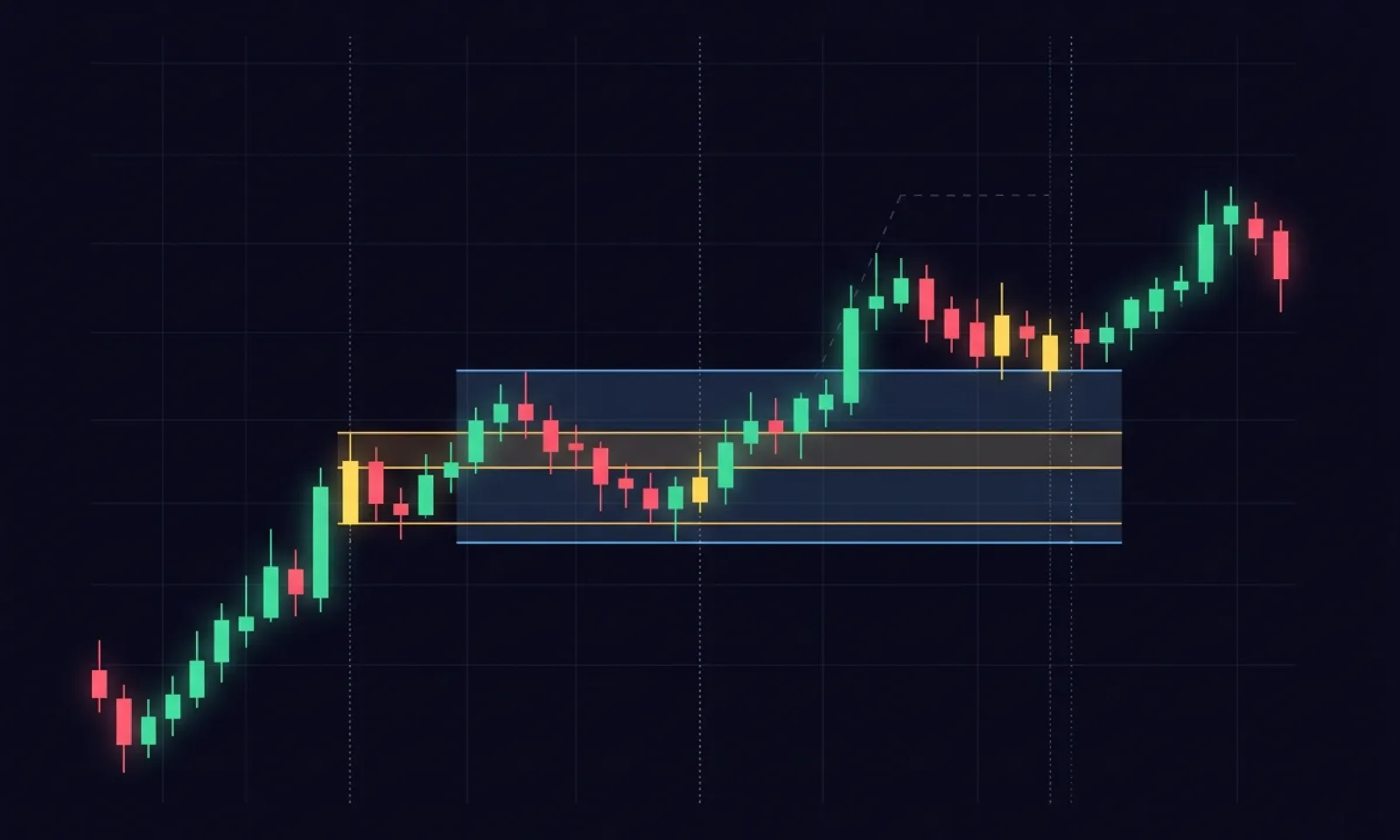
Unlike a traditional volume profile pinned to the right side of the chart, which only shows a fixed lookback period (e.g., the entire session or the last 100 bars), the Anchored Volume Profile gives you full control. It allows you to manually select a precise range on your chart—such as a specific trend leg, a consolidation area, or the reaction to a major news release—and plot the volume distribution only for that selected period.
This provides an objective view of where institutional activity actually occurred within a specific move and where interest was completely absent.
Anatomy of the Volume Profile: Key Levels to Watch
When you plot the profile on your chart, focus on four key elements:
- POC (Point of Control): The price level with the highest accumulated volume. This is the statistically "fairest" price of the selected range. The POC acts as a strong magnet – the price has a natural tendency to return to it. If the price drifts far from the POC, expect it to eventually mean-revert.
- Value Area (VA): The price range where approximately 70% of the total volume of the selected range was traded. The boundaries are called VAH (Value Area High) and VAL (Value Area Low). This is where the market exhibits balance.
- HVN (High Volume Nodes): The thick peaks of the profile where a lot of contracts were traded. The market often stalls and consolidates in these zones because both buyers and sellers accept the price. They act as strong supports and resistances.
- LVN (Low Volume Nodes): The thin valleys of the profile where minimal volume was traded. These indicate rejection or a very rapid price pass-through. LVNs act as barriers – price will either sharply reject off them or slice right through them (e.g., during a breakout).
Reading Profile Shapes in Trends
Anchor your profile to the start and end of a specific trend leg and analyze the resulting shape:
1. "P" Shaped Profile (Volume Concentrated at the Top)
This shape indicates that after an initial rally, volume accumulated at higher prices. It shows buyer strength and value migrating upward. The bullish trend has a high probability of continuing as long as the market holds above the value area of this profile.
2. "b" Shaped Profile (Volume Concentrated at the Bottom)
The opposite of the P shape. After an initial drop, volume began to cluster at lower prices. This shows distribution/accumulation by sellers at lower levels, indicating a strong bearish trend that is likely to continue downward.
3. "D" Shaped Profile (Symmetrical Profile, Balance)
Volume is concentrated in the middle and tapers off at the extremes. The market is in equilibrium (balance) and ranging sideways. In this environment, mean reversion strategies work best (buying VAL, selling VAH with targets at the POC). Once the price breaks out of a "D" profile, a new trend begins.
Practical Strategies: How to Trade the Profile
Strategy 1: Placing Stop Losses Behind LVNs (Low Volume Shield)
When entering a position, your Stop Loss should never lie on a high volume zone (HVN/POC). These zones attract price and increase the likelihood of getting stopped out. Instead, place your Stop Loss just behind a Low Volume Node (LVN). Since the market has no interest in trading at the LVN, this zone acts as a natural shield that repels the price.
Strategy 2: Anchoring to the "Trend Initiator"
Find a sharp, impulsive move on the chart (e.g., after macro news or market open). Anchor the left anchor to the first candle of this move and let the right anchor track the current candle (using Live mode). The profile will show whether large players are actively adding volume to the move (trend validation) or if volume is drying up, leaving the price rising on empty air.
Strategy 3: Trading Breakouts Across LVNs
If the market ranges in a balance area and then breaks out, monitor how it crosses the boundaries of the profile. If the price slices through a Low Volume Node (LVN) on high delta (aggressive buying/selling), it confirms the breakout validity, offering a high-probability entry in the breakout direction.
Honest Note: Anchored Volume Profile does not predict where the price will go. It shows the execution history of large players. The profile is only valid if it is correctly anchored to a logical starting point (e.g., a swing high/low, session open, or news event) – random anchoring will yield random and un-tradeable results.
Frequently Asked Questions
What is the difference between Anchored Volume Profile and standard Volume Profile?
A standard volume profile (session profile) shows volume for fixed time periods (e.g., 1 day). An Anchored Volume Profile allows you to set two anchors (start and end) on any candles on the chart, allowing you to analyze the exact range of a specific trend or range, regardless of daily session boundaries.
What does it mean when the POC (Point of Control) migrates upward?
A migrating POC in the direction of the trend means that the center of institutional activity is moving to new prices, validating the strength of the trend. If the price rises but the POC remains stuck at the bottom, the trend is running on empty volume, increasing the risk of a sharp reversal back to the lower POC.
Why is the profile empty and showing a NO_TICK_DATA status?
The WyckFlow Anchored Volume Profile builds profiles exclusively from real exchange-traded tick data for maximum accuracy (no bar-volume estimation). If your data feed does not support historical tick data for the selected range (or you are looking too far back in history), the profile cannot render. We recommend CQG, Rithmic, or IQFeed.
How do I set the Row Size (Ticks per row) for Nasdaq (NQ)?
NQ is highly volatile and has a wide price range. For readability, we recommend setting Ticks per row to 4 or 8 (corresponding to 1 or 2 points on NQ). For S&P 500 (ES), the standard is 4 ticks (1 point).
Can I drag and move the entire profile at once?
Yes. In WyckFlow, you can grab the body of the rendered histogram with your mouse and drag to shift the entire selected range (both anchors simultaneously) in time. This is useful for quickly comparing profiles of different ranges or sessions.
The WyckFlow Anchored Volume Profile study computes profiles exclusively from real ticks, supports bid/ask split, per-row delta, and allows dragging the entire range. Related reading: How to Read and Set VWAP, Footprint: Imbalance & Absorption, How to Read GEX.